f-ewald / journey

A scroll-driven map presentation

A frontend-only deck: a fixed full-viewport Mapbox map sits behind snap-scrolled sections. The camera flies each stop into the centre of the left third while a large card fills the right half, a dot rail navigates, and a dotted line draws itself along the journey as you scroll.

A map stop: the camera framed on the left third, the card filling the right half

What it offers

Everything here ships as YAML content and reusable components — no hand-rolled scroll logic to write, no backend, no build step to publish a new stop.

Scroll-synced camera

One stop per viewport, snapped. The map flies to the next location as you scroll, and jumps instantly under prefers-reduced-motion.

Dot rail & deep links

A rail on the right edge jumps to any stop; the active card is mirrored in the URL as #stop-3, so a reload or a shared link resumes in place.

Progressive journey line

A dotted line draws along the route as you advance and retracts as you scroll back, always clamped to the stop range.

Intro & outro cards

Cards with no place on the map can bracket the journey, laid out over the dimmed map or down a timeline.

Markdown cards

Headings, lists, tables, blockquotes, links and images — written in a YAML block scalar, sanitised before render.

Seven basemaps

Mapbox Standard, Light, Outdoors, Satellite, plus Stamen Watercolor, Terrain and Toner — or any Mapbox style URL.

Image galleries

One image renders as a plain figure; several become a carousel, with optional alt text and captions.

Content errors that point at the line

A schema-checked deck reports the file, line, column and offending source line — on the projector, not just in a terminal.

Screenshots

Every shot below is the deck running on the example content that ships in public/*.example.yaml — nothing here is anyone's real journey.
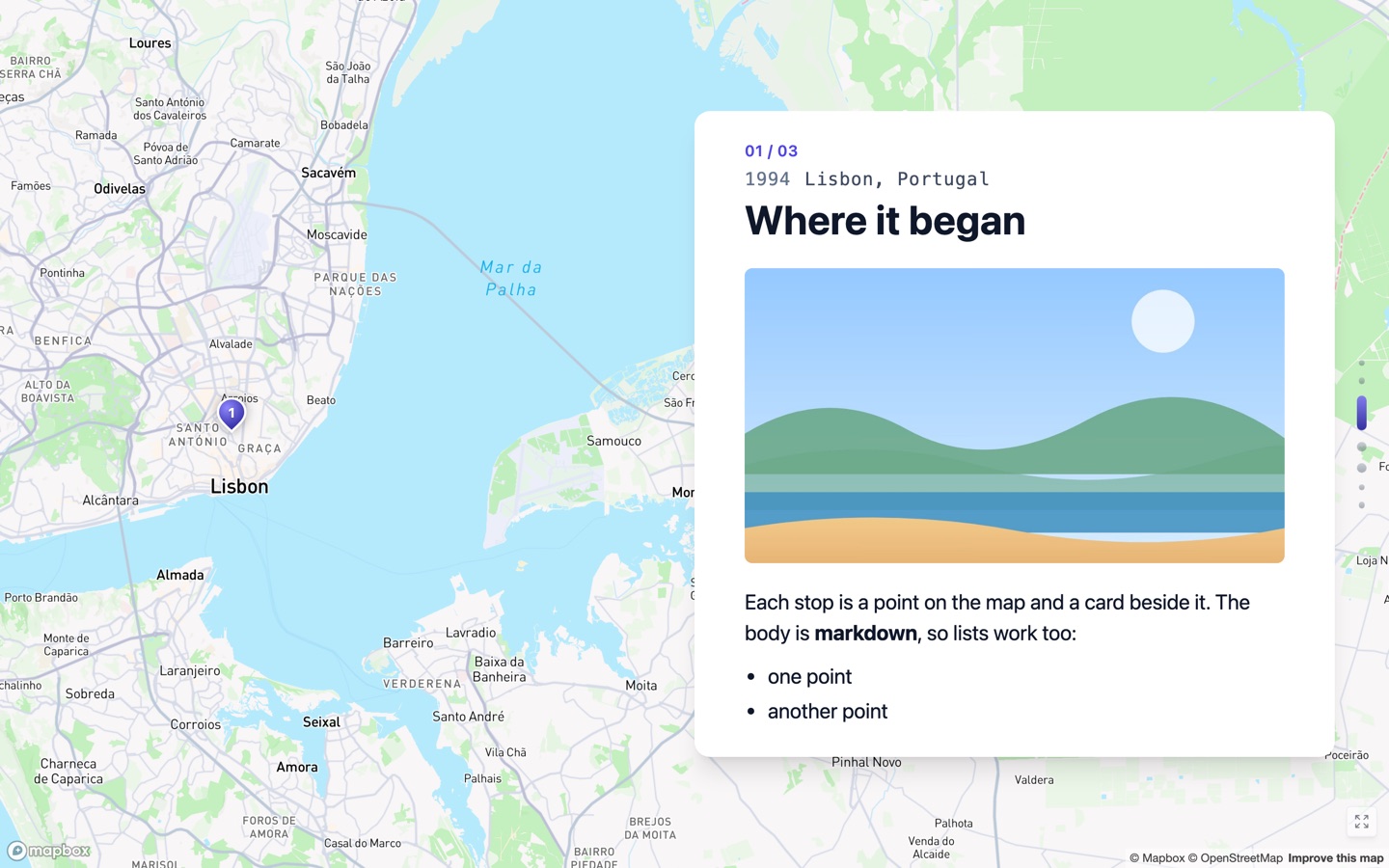
A map stop: the camera framed on the left third, the card filling the right half
A map stop. The camera frames the stop in the left third while the card fills the right half, and the dotted journey line draws as you scroll.
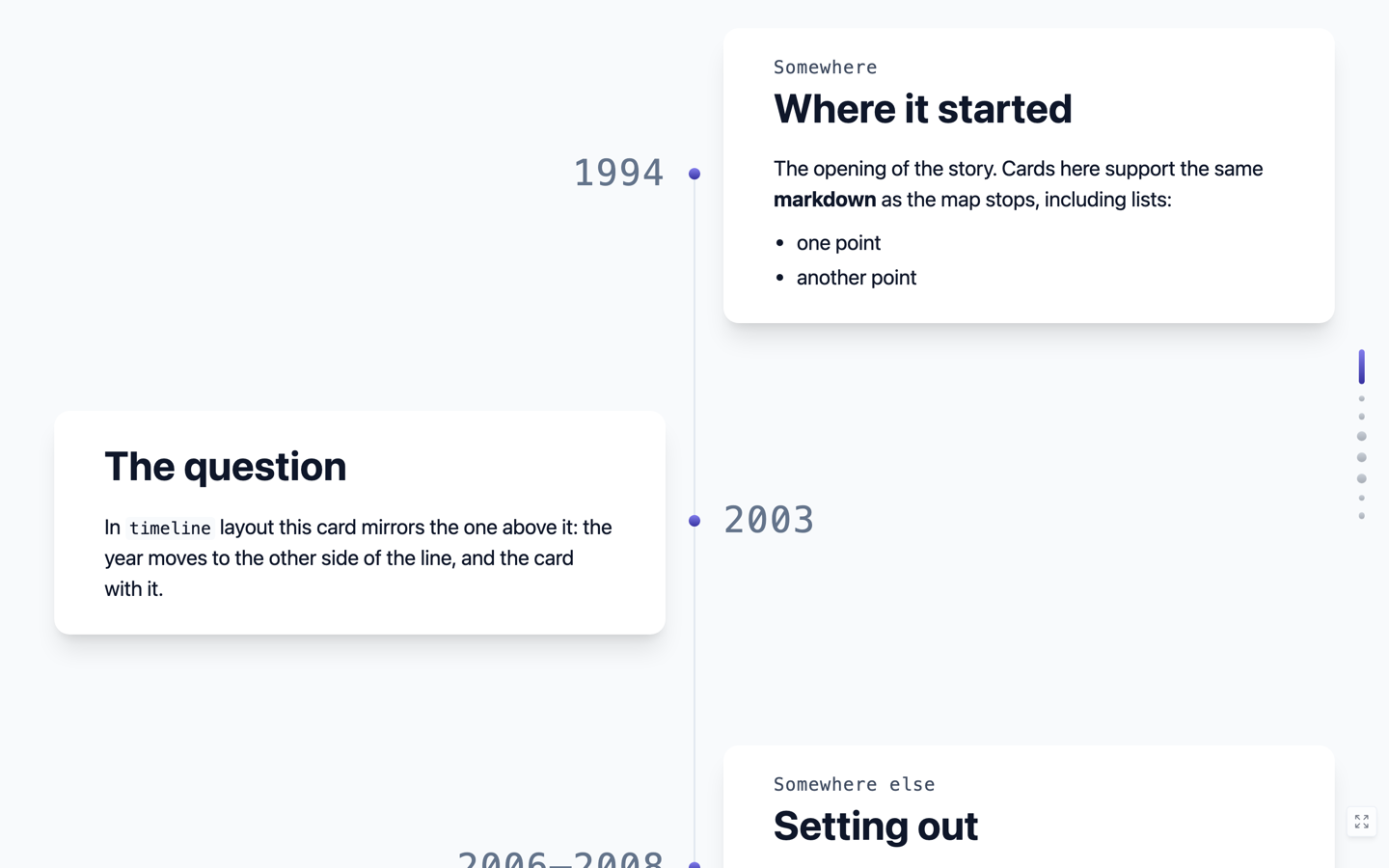
The timeline layout: a centred line with the year on one side and the card on the other, alternating
The timeline layout. Place-less intro and outro cards run down a centred line, year on one side and card on the other, alternating.
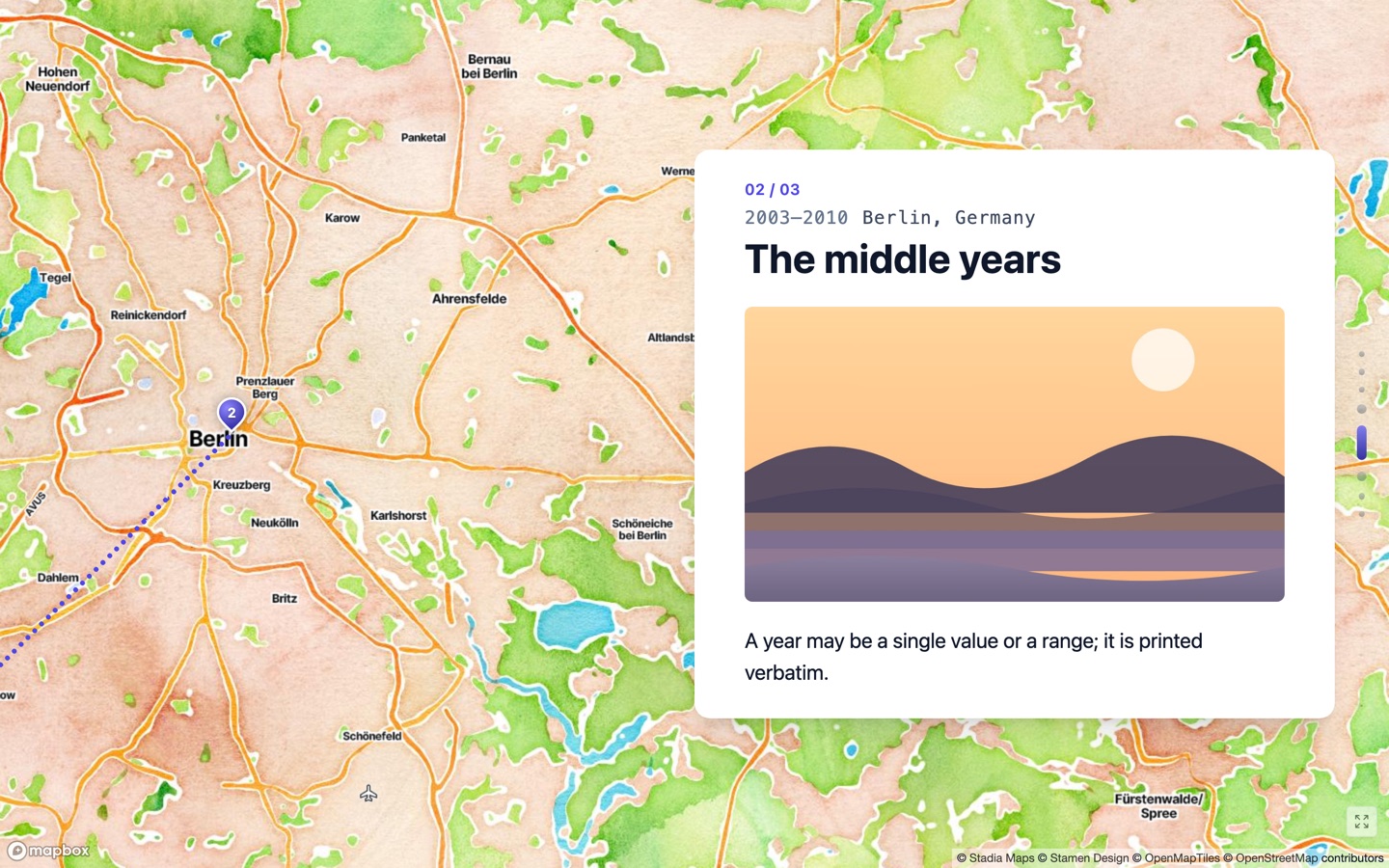
The same deck on the Stamen Watercolor basemap
A different basemap. mapStyle: watercolor — one of seven named presets, or any Mapbox style URL.
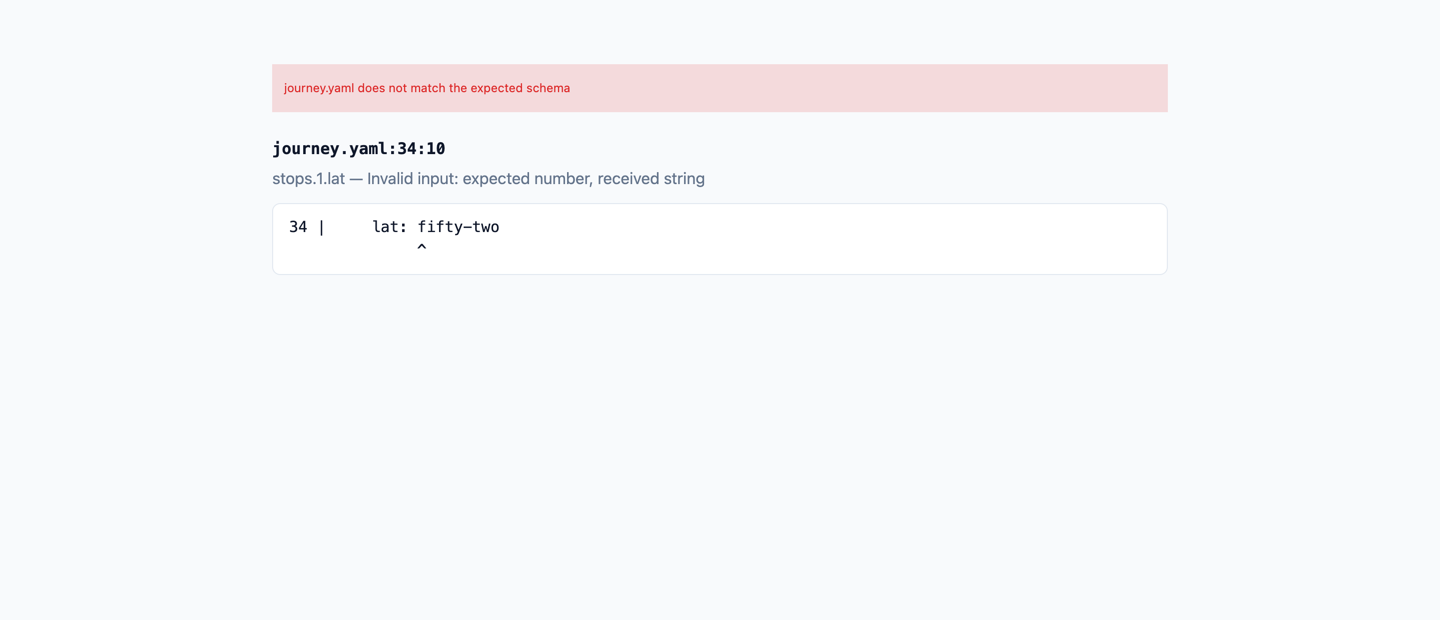
A validation error naming the file, line and column, with a caret under the offending column
Content errors are located. The file, line and column, the document path, and the offending line with a caret under it.

Getting started

Journey is a project you run and author content for — clone it, point it at your own YAML, and it's your deck.

  1. Clone the repository and install dependencies npm install
  2. Add a Mapbox token — create one at account.mapbox.com, then cp .env.example .env and paste it in. .env is gitignored. Without a token the app renders an explicit error instead of a blank map.
  3. Start the dev server npm run dev
  4. Copy the example content to get a full starting deck cp public/journey.example.yaml public/journey.yaml cp public/intro.example.yaml public/intro.yaml cp public/outro.example.yaml public/outro.yaml

Your deck is yours: journey.yaml, intro.yaml, outro.yaml and everything under public/images/ are gitignored, so a personal journey and its photographs never end up in the repository. The .example.yaml files are what ship, and they document every option.

Authoring content

Content is fetched at runtime, so editing YAML needs no rebuild — save the file and reload the page. public/journey.yaml is the only file you need, and three lines are enough:

stops:
  - title: Berlin
    lng: 13.405
    lat: 52.52

Every other key has a default — that deck is titled "Journey", uses the standard basemap, and opens on Berlin at zoom 11. A stop only ever requires title, lng and lat. A fuller deck adds a title, a basemap, and intro/outro cards:

title: California Coast Journey
mapStyle: watercolor
layout: timeline
intro: intro.yaml
outro: outro.yaml

stops:
  - title: Northwind Labs
    location: Porto, Portugal
    year: 2012
    lng: -122.4194
    lat: 37.7749
    body: |
      Fog rolls through the Golden Gate most summer mornings.
    images:
      - src: /images/golden-gate.jpg
        alt: The Golden Gate Bridge at dawn
        caption: Leaving the city

Pictures live anywhere under public/images/, referenced from the site root — public/images/berlin/street.jpg becomes /images/berlin/street.jpg in YAML. One image renders as a plain figure; several become a carousel. Run npm run validate after adding pictures — the dev server answers an unknown path with the app's own HTML and a 200, so a mistyped path otherwise yields a silently blank image rather than an error.

Basemaps

Name Basemap
standard Mapbox Standard (default)
light / outdoors / satellite The corresponding Mapbox styles
watercolor Stamen Watercolor — painterly, with place names layered on
terrain Stamen Terrain
toner Stamen Toner — high-contrast black and white

mapStyle also accepts any Mapbox style URL directly. The Stamen basemaps are anonymously rate-limited; for anything that has to be reliable, put a free Stadia Maps key in .env as VITE_STADIA_API_KEY.

Non-goals

Phones and narrow viewports are not supported — the layout is a fixed horizontal split intended for a laptop or projector, with no fallback arrangement. There is also no deployment setup for the deck itself: a static deploy would embed the Mapbox token in the client bundle, which needs a separate, URL-restricted public token. (This documentation page carries no token and no map — it only shows static screenshots.)